
VoicePing has a feature to send an SOS message to a group channel or Paging in a private channel. Even you can see the message delivery status.
It’s a feature that will give a constant notification to your paged contacts every 30 seconds for 60 minutes or until they clear it by opening your message.
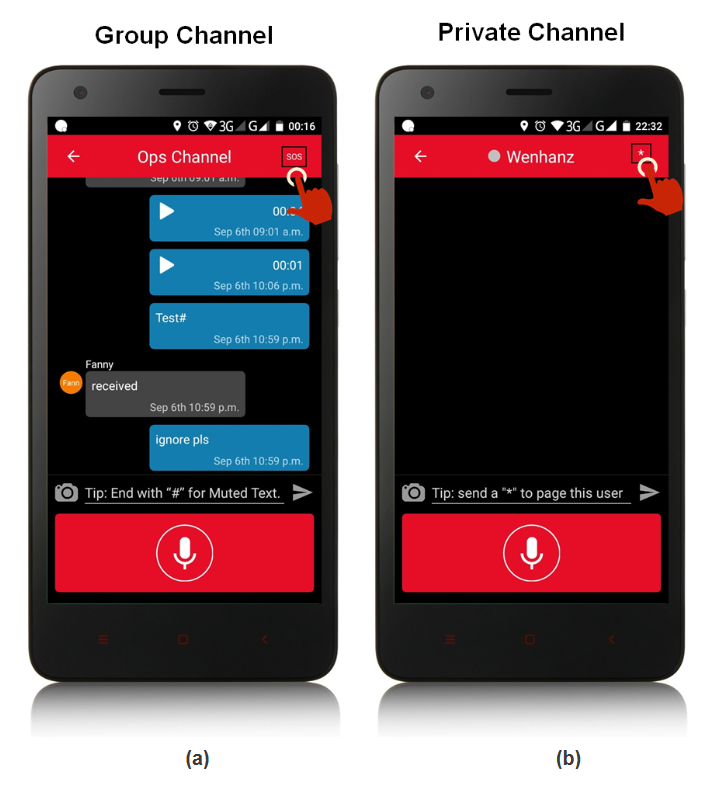
(a) Send SOS to group channel: You can send an SOS message by tapping the SOS button 3x times when you are inside a group channel. Once the SOS message is sent, all the other users except the SOS sender cannot send any message on the group for some seconds. This will give the sender privilege to override any conversation that happening at the time, so only the sender can talk in the group about any emergency or important matter that wanted to be sent.
(b) Send a page to a private channel: You can send a page to the user by tapping the "*" (star) button 3x times when you are inside a private channel. This will give the receiver a page tone continuously on the device. It can be used whenever the sender wanted the user to read the message or need a reply immediately. The paging tone will not stop until the receiver opens the message.
(c) Turn OFF paging: As the paging tone will not stop until the receiver opens the message, to turn it off you simply open the sender message and the paging tone will be turned off immediately.
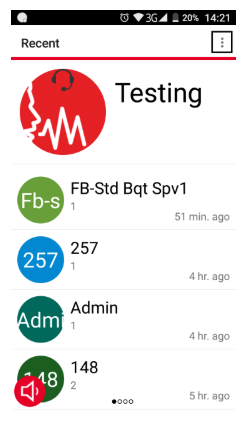
Open VoicePing app and choose the contact that send you paging, read or play the message the sender has sent you and the paging should be turned off immediately.